
How it works
Everything paraBASKET does, step by step
1Step 1
Add what you bought
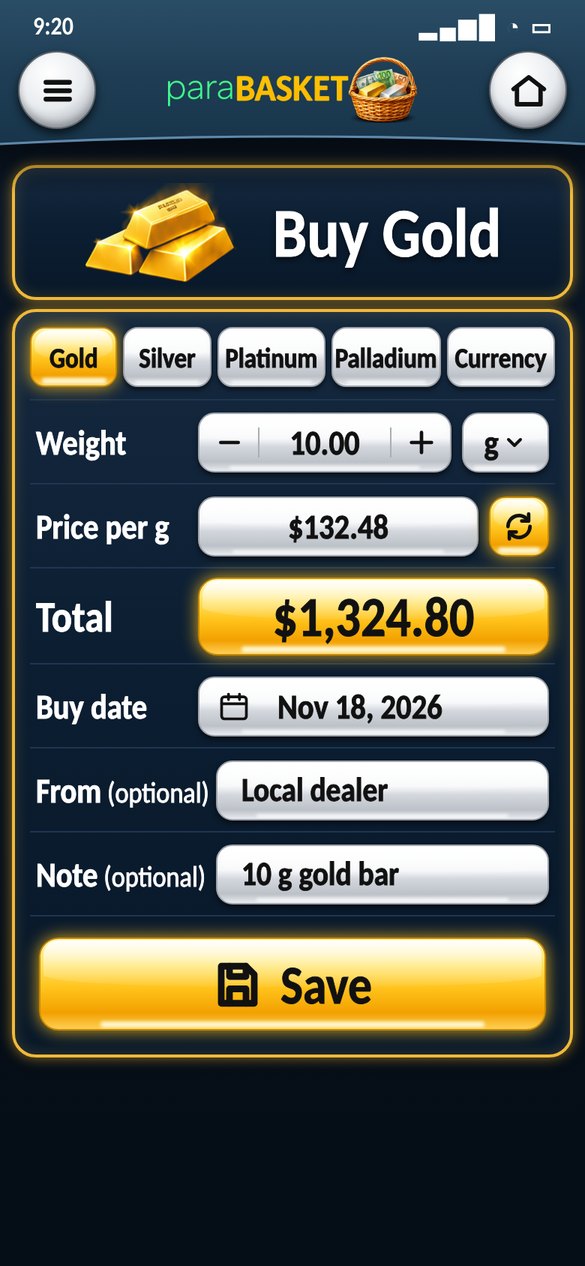
Tap Add (or menu › Buy). Choose what you bought at the top.
- Gold, Silver, Platinum or Palladium – weight with − / + and the unit (g, oz, kg).
- Currency – choose EUR, TRY, GBP … and the amount.
- Pick the buy date: that day’s price is filled in for you – change it to what you really paid.
- Tap Save.
2Step 2
See everything on Home
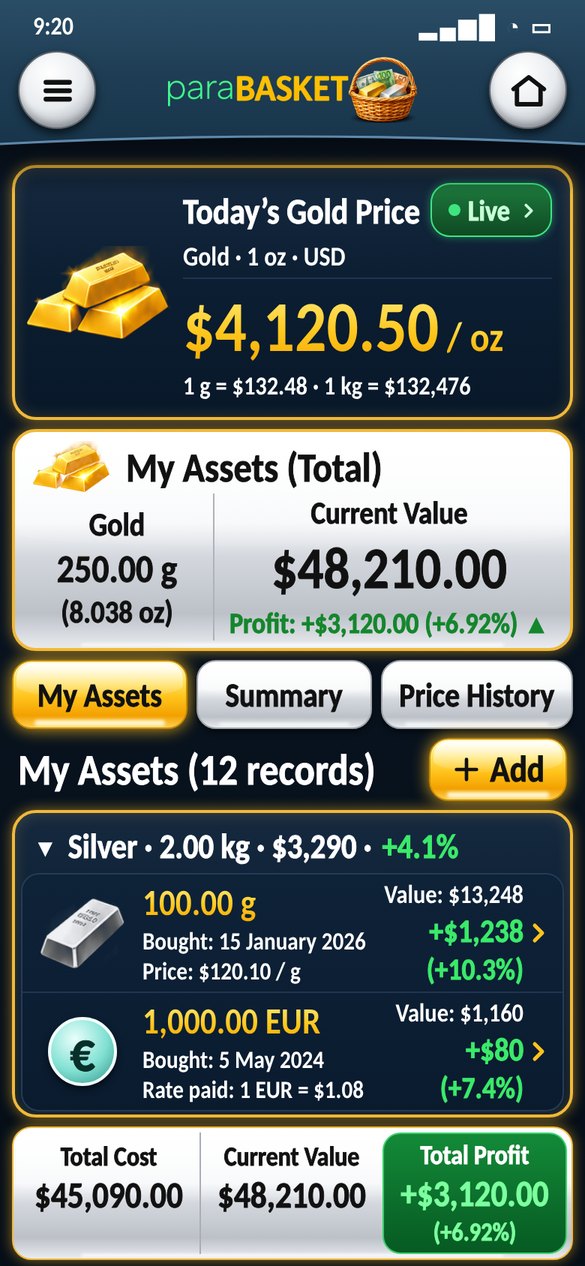
The gold price card is always on top. Under it, My Assets (Total) shows what you own, what it is worth now and your profit.
- Each asset has its own group – tap the group line to open or close it.
- Tap any record to change it, sell it or delete it.
- Pull down to refresh the prices.
3Step 3
Watch it live
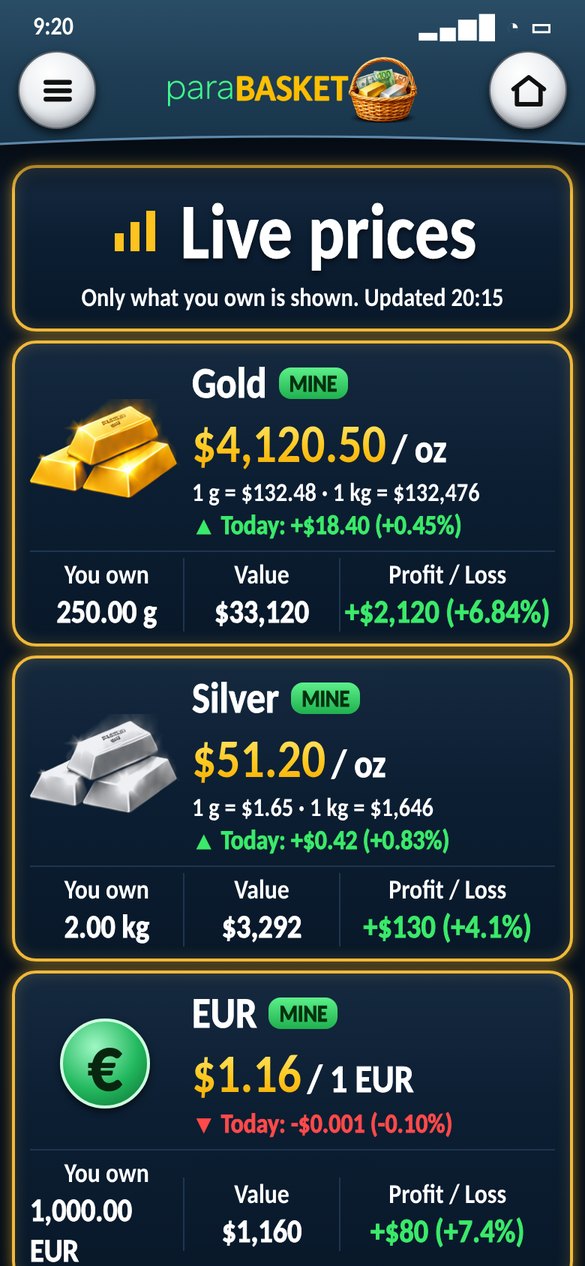
Tap the green ● Live button on the gold price card.
- Live price of only what you own, per oz or per 1 unit.
- Today’s change in green or red.
- How much you own, its value and your profit or loss.
4Step 4
Sell (practice)
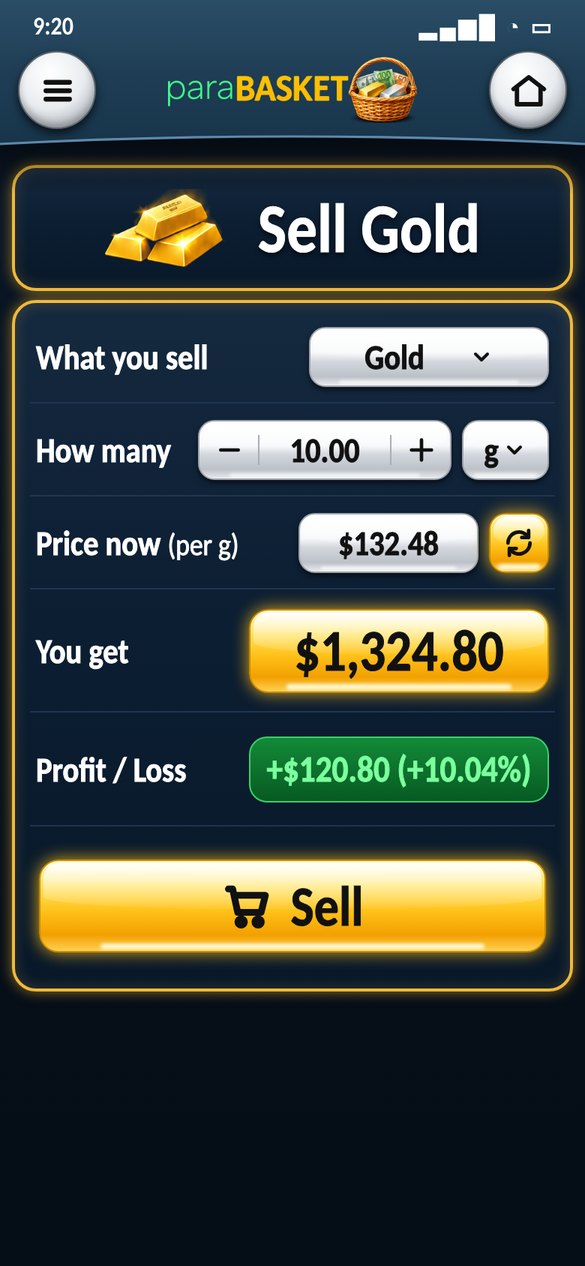
Open a record and tap Sell. Sell all of it or only a part.
- Price now is filled in – tap ↻ to refresh, or type your own.
- You get and Profit / Loss are shown before you confirm.
- The record gets smaller or is removed. Nothing is really sold.
5Step 5
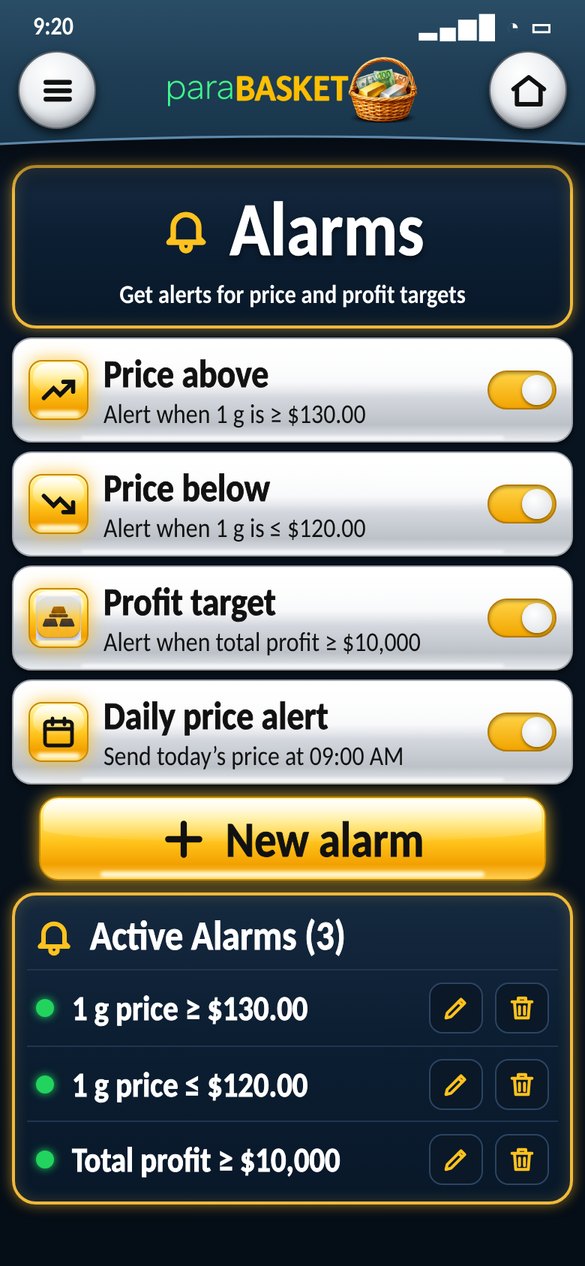
Set alarms
Menu › Alarms › New alarm.
- Price above / below, bar price, profit target, loss alert.
- Daily price alert at the time you choose.
- Alarms vibrate and show a message in the notification bar.
6Step 6
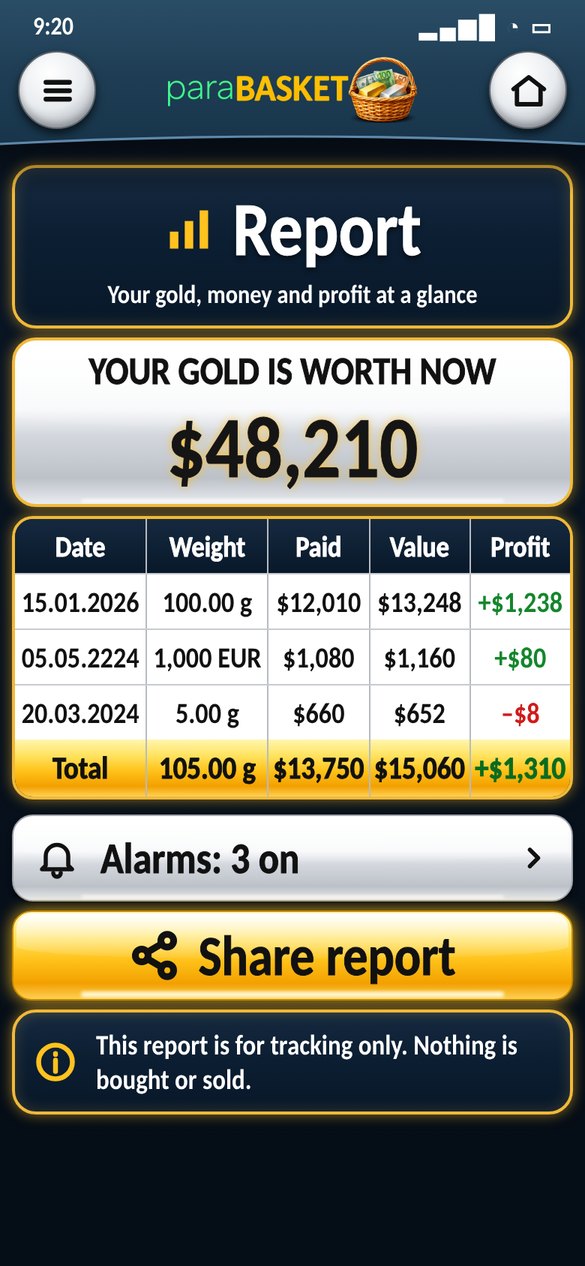
Report & share
Menu › Report shows every record in one table.
- Date, weight or amount, paid, value now and profit.
- The gold line at the bottom is the total.
- Share report sends it as text.
7Step 7
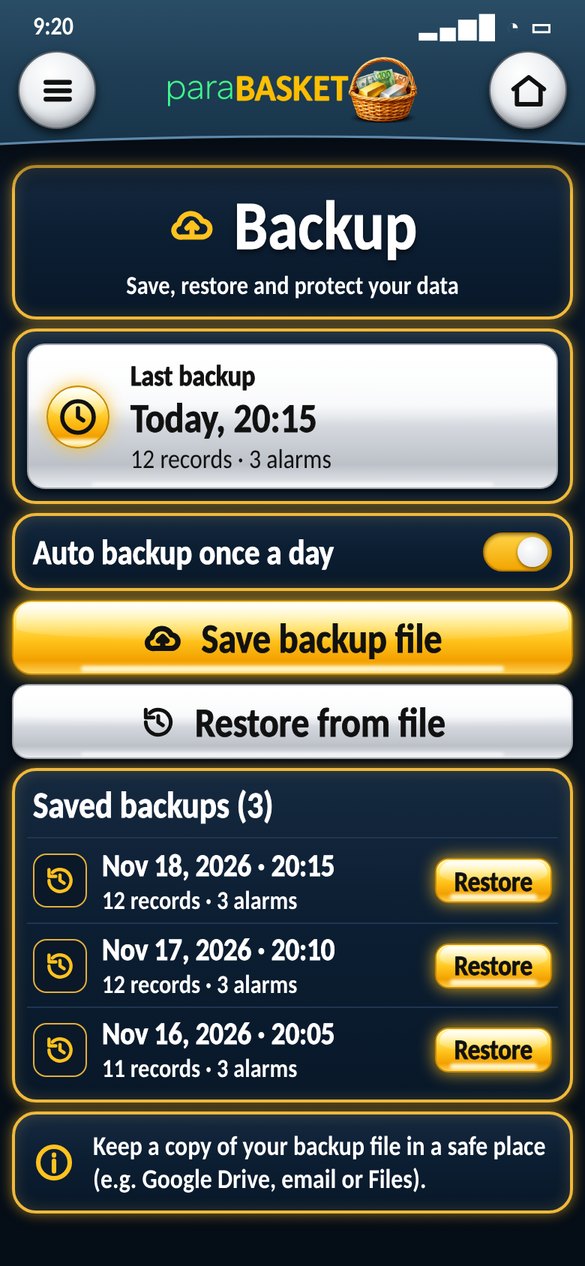
Backup – never lose your data
Your data is backed up once a day automatically.
- Choose a backup folder on your phone (Settings › Permissions) – every backup is also saved there.
- Save backup file to send it to Google Drive or email.
- Restore on a new phone in one tap.
8Step 8
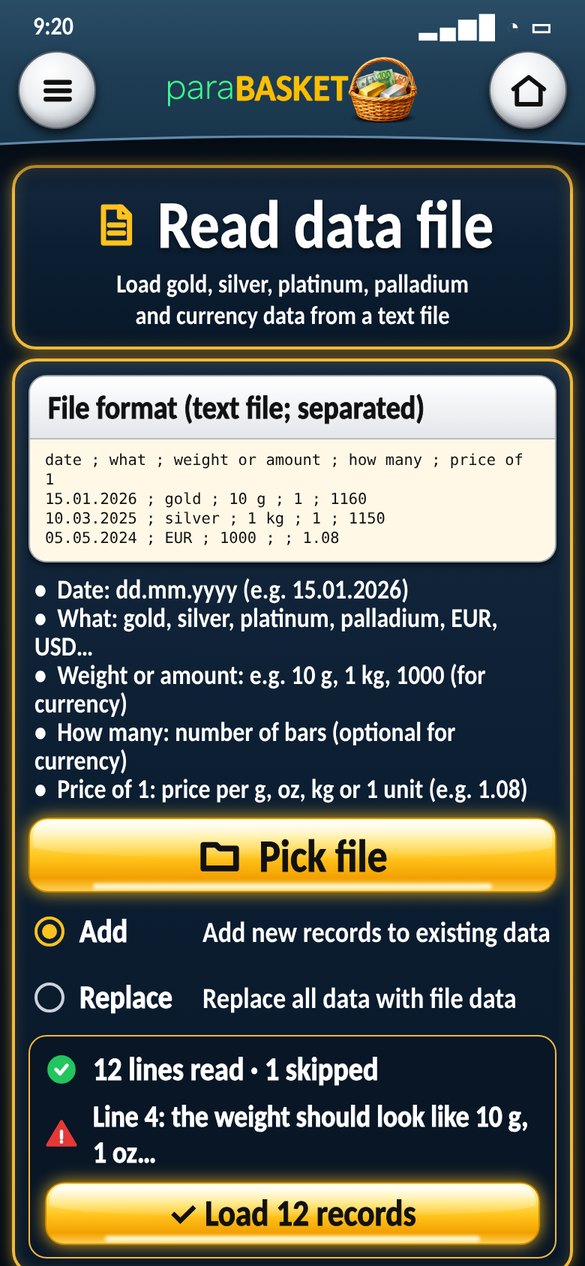
Data file – add many records at once
Write your records in a simple text file and read it in.
date ; what ; weight or amount ; how many ; price of 1- Add to your records or Replace everything.
- Lines with problems are shown with the reason.
Ready to start?
Free for 5 records · Premium $3.99 one time · 62 languages